VSFX 319
Late Work
Assignments are due before the START of class.
Late work will receive a 20% deduction.
Work not submitted within 48 hours after due date will be a 0.
All submissions will be through blackboard assignments.
If you have Accommodations:
You must email me before the due date.
Let me know what accommodation you are using.
Extra time accommodations are due 48 hours after the due date.
After that 48 hours the grade will be a 0.
Discussion Boards
Discussion Boards - 20% of final grade.
-
Discussion boards will be looked over at the start of each class.
-
Post your WIP on blackboard discussion board.
-
ELO's count, you need 3 of these.
-
You will start with the maximum 20pts in blackboard.
-
1 point will be deducted if progress is not shown that class day.
-
If you are absent you are still expected to have your post in before class starts.
-
DO NOT POST CODE!, Post the results or an explanation of what is working and not working.
Project 1 - Procedural Shading
Class 7 - Procedural Shading Breakdown - 20%
Model will be supplied on blackboard.
-
You may update the model based on a different cactus.
-
If you update the model make sure to also update the UV's.
-
Base your textures on a real life examples.
-
Post reference on blackboard.
-
Your Surfacing quality must approximate your reference.
-
Do this completely procedurally, no file textures.
-
Render your project with a subtle camera move (120 frames)
-
Submit a .pdf documenting your process.
-
Include pictures of the node graph.
-
Include rendered results of each graph.
-
Include reference for each material.
-
Include a written description of what is happening.
-
-
Submit your final movie and .pdf using blackboard assignments.
-
Post your work on blackboard discussions for review.
-
ex. SAV_2022Winter_VSFX_TimSteele_01.mp4
-
ex. SAV_2022Winter_VSFX_TimSteele_01.pdf
-
Resolution: 1920x1080
Grading: 10pts
-
5pt - Surfacing quality matches reference
-
2pt - Instructions Followed / Aesthetic / Presentation / Participation
-
3pt - Quality of Technical Breakdown


Project 2 - Custom OSL Shader
Class 11 - Custom OSL Metal Shader - 20%
-
A Shader Ball will be provided in the Materials folder on Dropbox.
-
Experiment with techniques used in class to develop your own metal shader.
-
For presentation copy the example image provided ------->
-
The white part will be your shader. (OSL)
-
Copy the other materials to the best of your ability. (NOT OSL)
-
Do not copy the text on the bottom part. Just make it black plastic.
-
-
USE REAL WORLD REFERENCE!
-
You can only use 1 OSL node.
-
Shader must include controls for at least:
-
Metal
-
Diffuse Color
-
Specular Roughness
-
-
Rust / Patina
-
Amount
-
Diffuse Color
-
Specular Roughness
-
-
Bump and or Displacement
-
-
Present at least 3 different looks using your shader:
-
Copper
-
Iron
-
Bronze
-
-
Submit through blackboard assignments:
-
A PDF containing:
-
3 - 2048x2048 renders of your 3 metals.
-
Your reference.
-
A screen-grab of your graph network.
-
-
A text file containing your OSL code.
-
-
Post your work on blackboard discussions for review.
-
ex. SAV_2022Summer_VSFX_TimSteele_02.pdf
-
ex. SAV_2022Summer_VSFX_TimSteele_02.txt
Grading: 10pts
-
5pt - Techniques used in class are present in code.
-
5pt - Instructions Followed / Material Quality / Presentation

2048x2048
Project 3 - Python Modeling and Animation
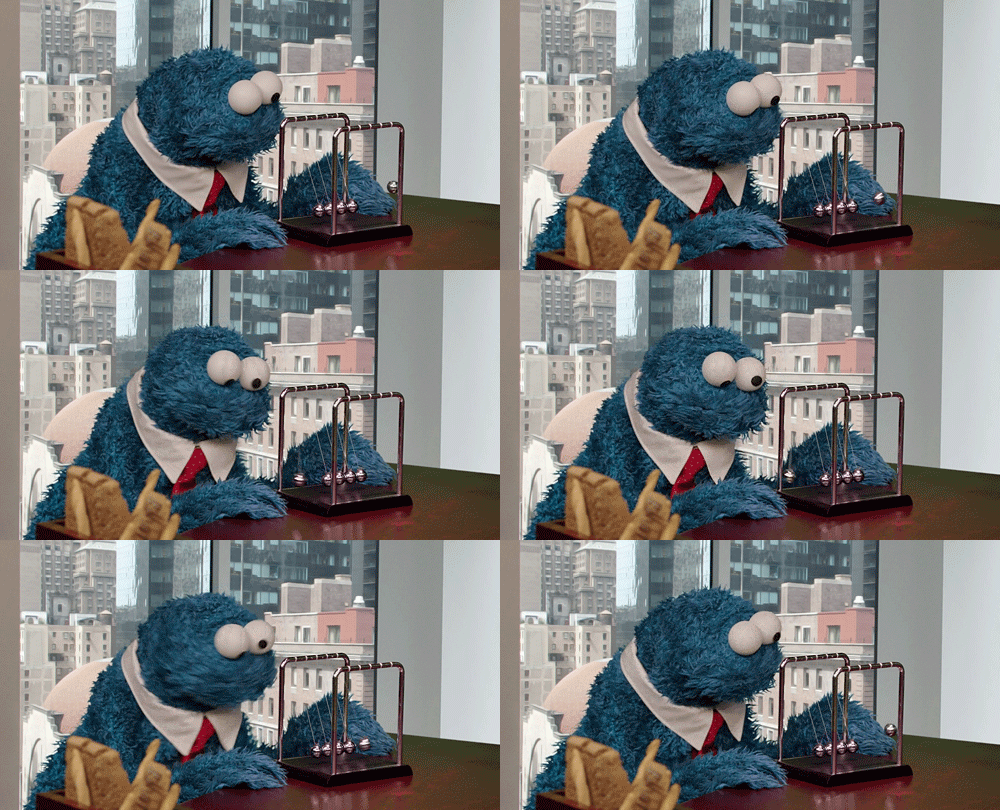
Class 16 - Newtons Cradle - 20%
-
Create a Python script that does the following
-
Models a newtons cradle
-
Adds appropriate shaders
-
Uses expressions to animate the newtons cradle
-
Has Appropriate Comments
-
-
Submit a fully rendered newtons cradle. 960x540
-
Lighting and Background elements are not included in the script
-
All animation has to come from expressions
-
Place your files in dropbox using the following naming conventions:
-
SAV_2021Fall_VSFX_TimSteele_03.mp4
-
SAV_2021Fall_VSFX_TimSteele_03.py
-
Submit your .mp4 and .py files using blackboard assignments.
-
Post your .mp4 on blackboard discussions for review.
Grading: 10pts
-
2pt - It Works!
-
2pt - Comments Added
-
2pt - Animation quality from expressions
-
2pt - Presentation
-
2pt - Instructions Followed
Project 4 - OSL prim
Class 20 - OSL Shader- 20%
-
Use Python and OSL to make each ball on your cradle look different using only 1 aiStandard surface shader.
-
Reuse project 3's code to make the steel balls look rusty.
-
Artists should easily be able to click on any ball and modify the look.
-
Python code that creates the newtons cradle now adds:
-
Custom attributes per object
-
Makes the OSL nodes
-
Populates the OSL nodes with the osl code
-
Connects the OSL nodes to the aiStandardSurface shader
-
-
3 changeable attributes minimum with artist friendly names.
-
ex. Chrome Roughness, Rust Size, Rust Amount.....
-
-
Record a screencapture of you running the code and demoing your project.
-
Add your finished render to the end of the video.
-
Place your files in dropbox using the following naming conventions:
-
SAV_2021Fall_VSFX_TimSteele_04.mp4
-
SAV_2021Fall_VSFX_TimSteele_04.py
-
Submit your .mp4 and .py files using blackboard assignments.
-
Post your .mp4 on blackboard discussions for review.
Grading: 10pts
-
2pt - It Works!
-
2pt - Comments added and for loops and Definitions used efficiently.
-
2pt - Shader Complexity (What kind of attributes would an artist need/want to change)
-
2pt - Presentation / Creativity
-
2pt - Instructions Followed